 NavOfficer
Features
Every calculator, and what it is for.
Sixteen suites carrying more than forty calculation modes and tools. Five suites are free and eleven are part of Pro. Everything is worked out on the device.
The suites
Grouped the way the work is grouped.
-
Passage Planning 6
- ETA / Speed / Distance / Time
- Horizon & light visibility
- Mercator sailingPro
- Great circle sailingPro
- Composite great circlePro
- Mid-latitude & traverse sailingPro
-
Ship Handling 4
- Course to steerPro
- CPA / TCPAPro
- Wheel-over pointPro
- Squat & under-keel clearancePro
-
Cargo & Stability 2
- Draft surveyPro
- Basic stabilityPro
-
Compass 2
- Compass error (TVMDC)
- Compass error by sunPro
-
Conversions 2
- Marine unit conversions
- Interpolation
How a result reads
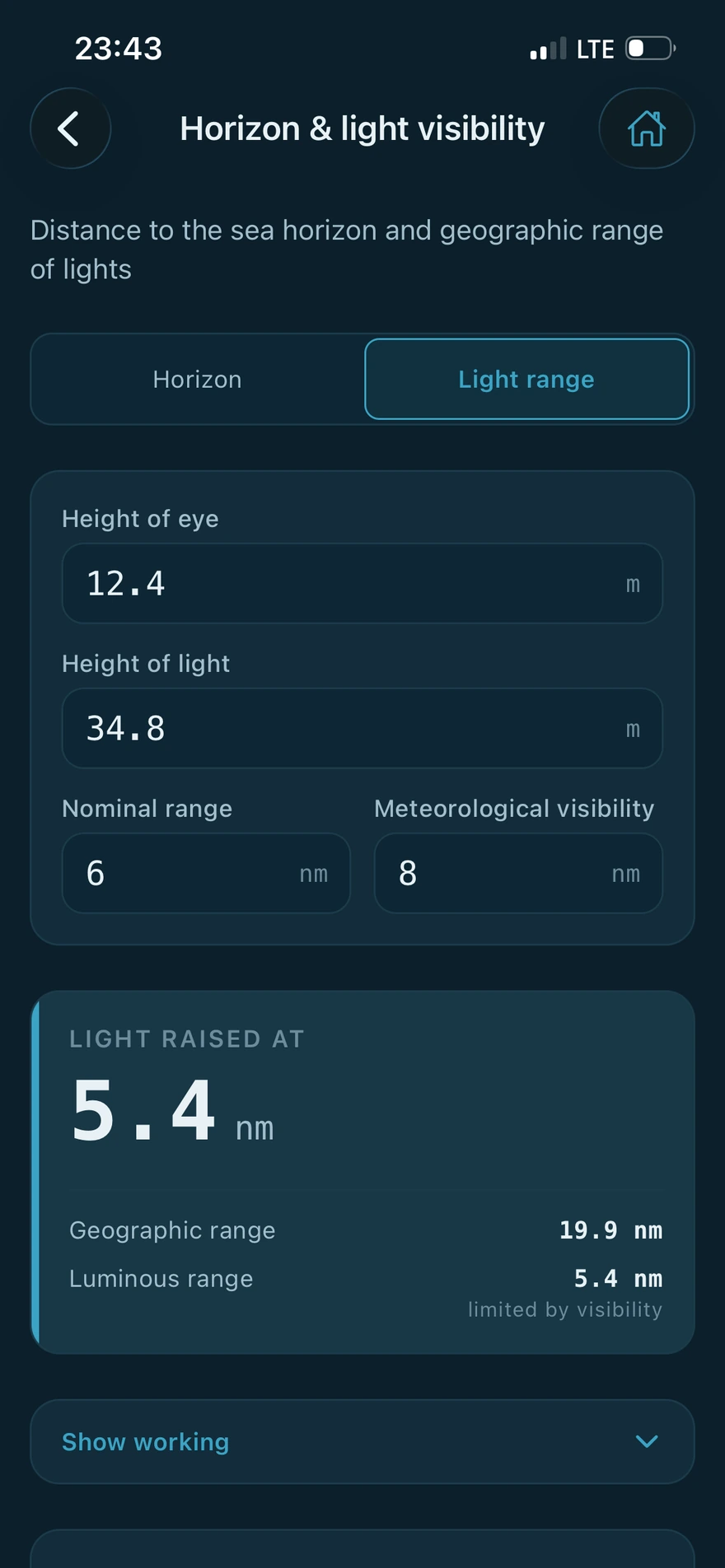
The working is part of the answer.
Results come with the steps that produced them, in the order you would write them yourself. A figure you cannot follow is a figure you cannot check, and on a bridge that matters more than saving a tap.
-
Ship profiles
Enter breadth, block coefficient and the hydrostatic table once. Squat, stability and draft survey read from the profile, and any field can be typed over for a single calculation without disturbing it.
-
Saved calculations
Save a piece of work and reopen it later. A saved calculation keeps the ship particulars it was worked against, so a filed record still means what it meant on the day.
-
Built for gloves and motion
Large touch targets, monospaced figures that do not shift width as a value changes, and columns of numbers aligned so they can be read downwards.
-
Standing caveats where they matter
Calculators carry the operational caveat that applies to the method, so the limits of a formula travel with the answer instead of living in a manual.
Three screens for three watches
The same app, lit for the time of day.
One setting changes every screen. These are the same Settings page in each of the three.
-
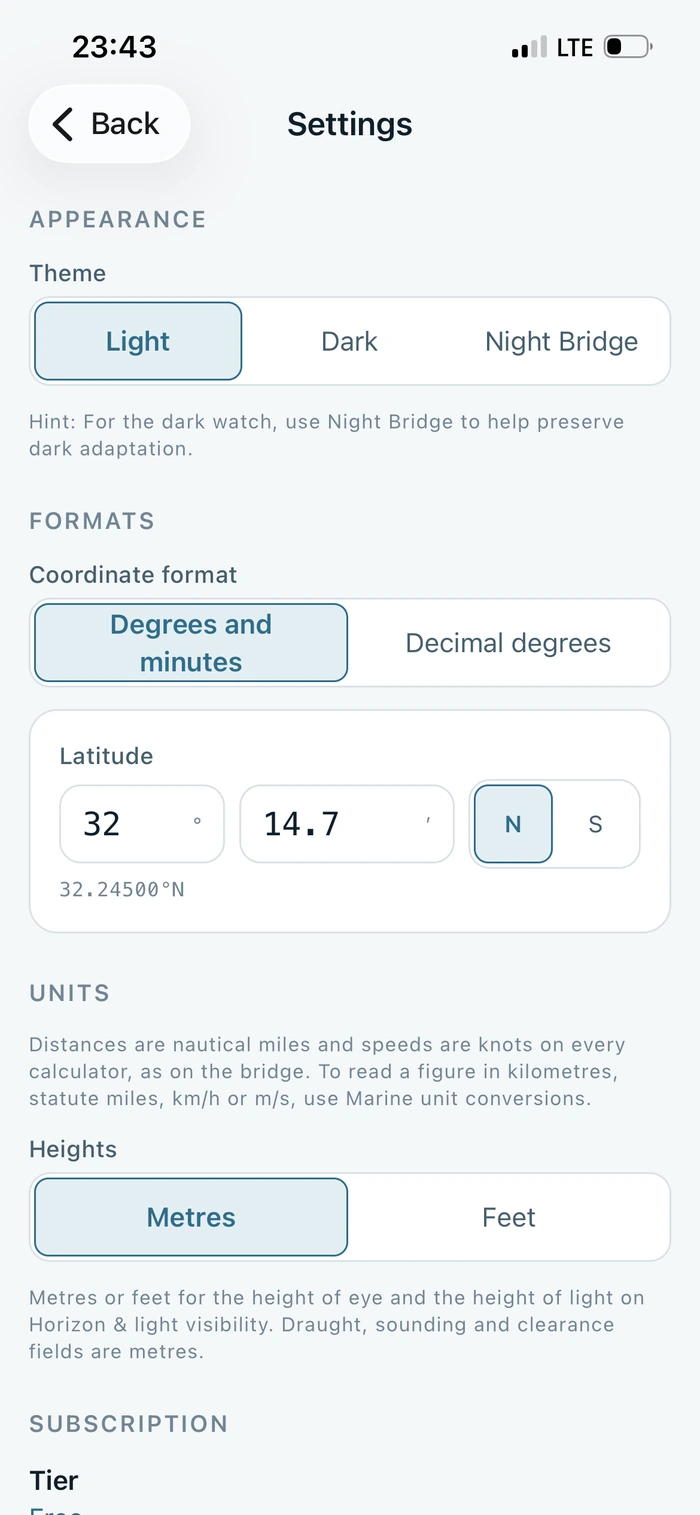
Light
Restrained and high contrast, for a daylight bridge or a classroom.
-
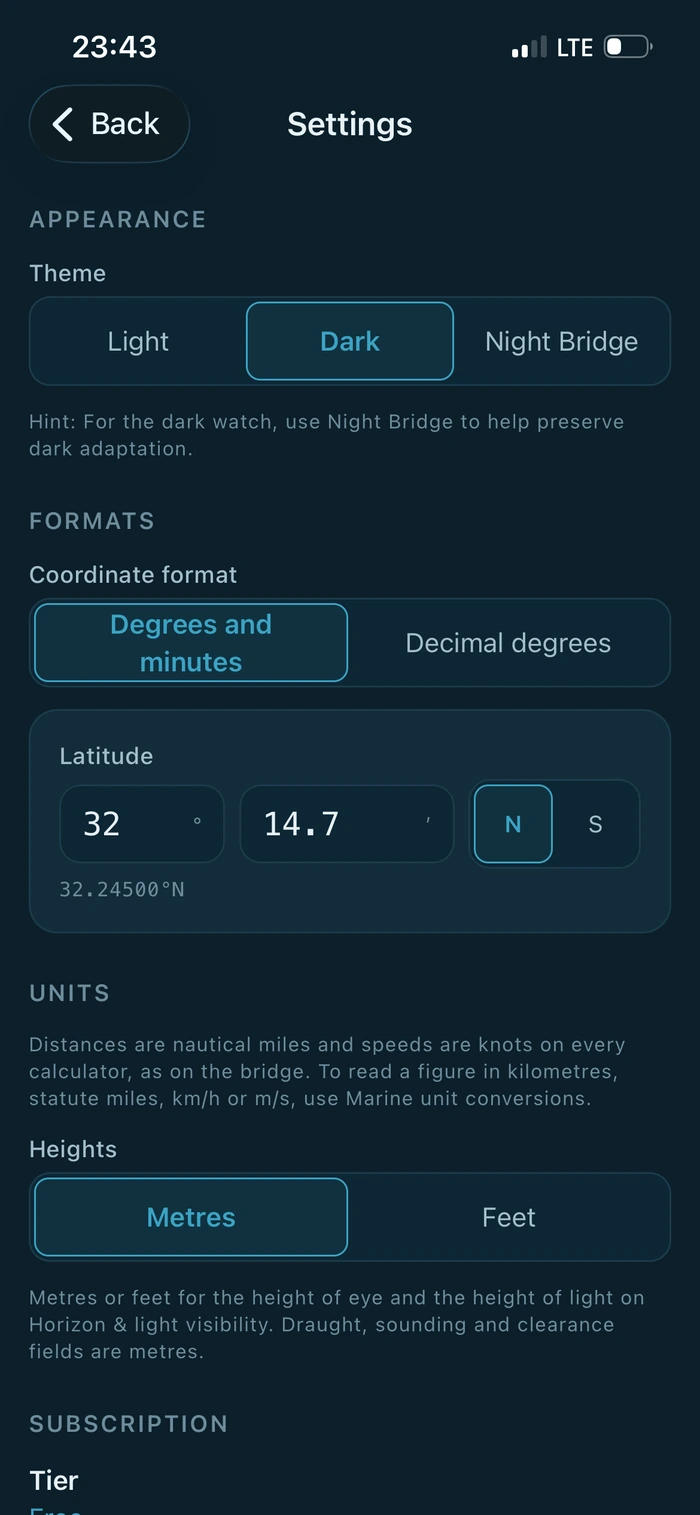
Dark
Deep navy, like an instrument panel at dusk. This is the default.
-
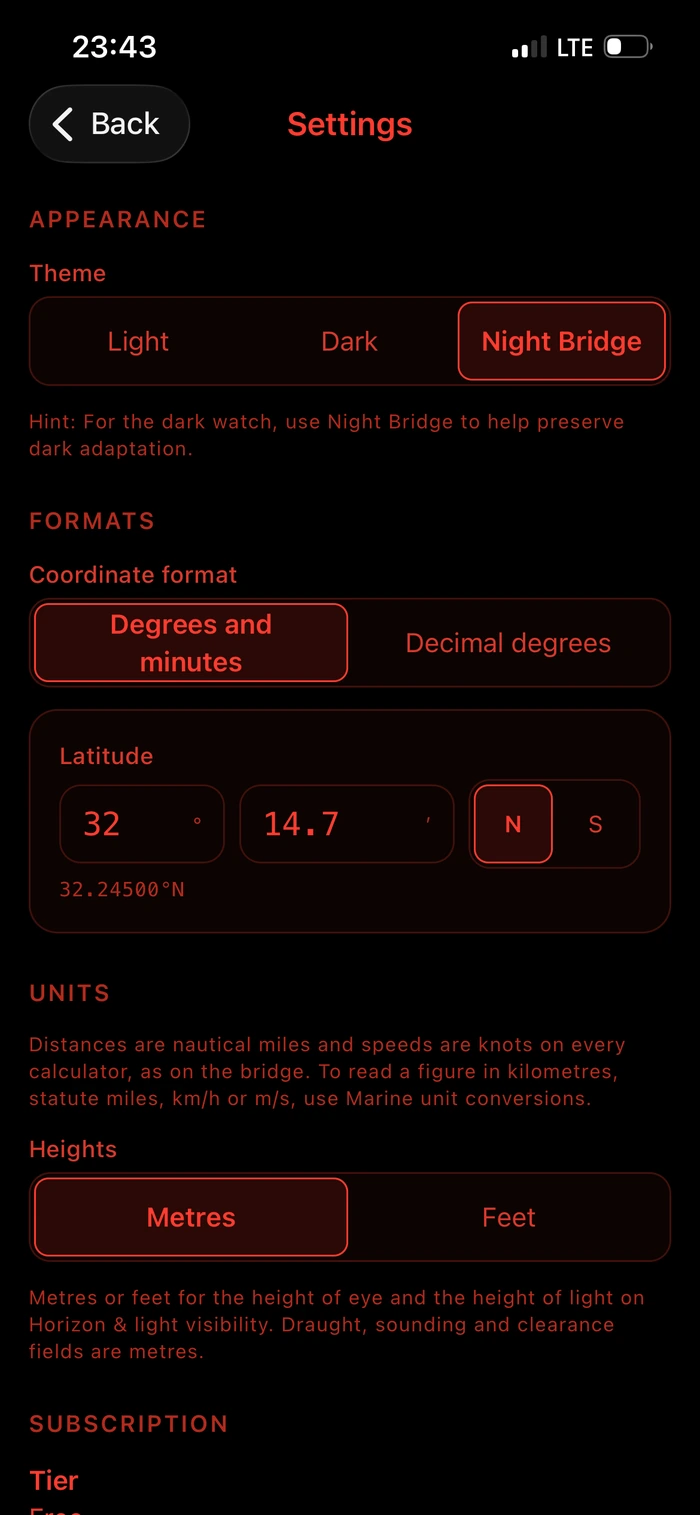
Night Bridge
Red on black for the dark watch. Blue light is what destroys dark adaptation, so this palette emits none.
References
Checked against published worked examples.
The methods follow recognised maritime sources rather than a private interpretation of them. Each calculator is tested against worked examples printed in those sources, including Bowditch, the IMO codes, and the naval architecture texts by Barrass and Derrett.
Testing against published examples is care, not a guarantee. It is evidence about the cases and references that were tested. The app is provided as it is, and every figure must be independently verified before it is relied on operationally.
NavOfficer Pro
The advanced suites.
Pro opens the sailings, ship handling, cargo and stability work, and removes the limit on saved calculations. It runs on the device exactly as the free calculators do, and it keeps growing as new methods are added.
Plans and prices are shown in the App Store before you buy. If a subscription lapses, nothing you have already saved is deleted.
NavOfficer is a training and cross checking aid. It is not a navigation system, an ECDIS, a loading computer or an approved stability instrument, and it is not type approved. It does not replace official publications, corrected charts, the vessel's approved stability information or the company's safety management system. Every figure must be independently verified before it is relied on operationally, and the app must never be the sole means of navigation.